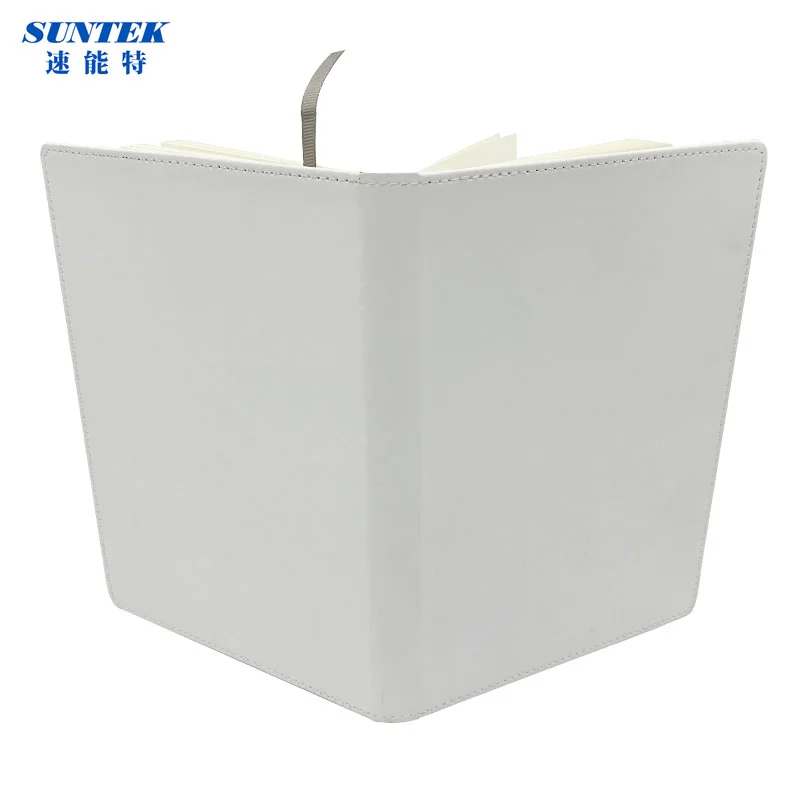
STB-TPUJA5 is a complete notebook with a white PU cover and blank inner pages. It brings the cover-artwork project and the writing book into one product choice. Keep the finished notebook format and the intended design together when comparing a personalised stationery order.
Choose the notebook for the intended recipient
A notebook can carry a company identity, a personal name or a photographic design. For a welcome gift, consider whether the cover should be recognised as part of a business collection or feel personal to its recipient. That choice sets the direction for the artwork before individual graphic details are added.
For a stationery range, start with the role of this particular book. A journal-style design might put a title at the centre of the cover, while a staff-notebook project might give the company mark priority. These are design choices to develop for the selected book, rather than a reason to assume a particular size or binding.
Build a clear cover composition
White is the cover colour and PU is the cover material. Develop a layout with a clear main element, such as a name, illustration or logo. Keep supporting text readable at the intended finished scale. A large screen preview can make small lettering look more prominent than it will on the actual book.
Prepare the final layout against the notebook dimensions and printable area selected for the order. Keep important image details away from uncertain boundaries while that layout is being settled. A design requiring more than one cover position needs its own placement discussion; the model code is not an artwork template.
Treat the inner pages as part of the product
Blank inner pages are part of the notebook description. Think about how the recipient will use the book when defining the required page count and binding. A cover can be visually successful while the book format still needs a more specific purchasing description.
For a personalised series, connect each cover file to its recipient or design reference. Keep those artwork references separate from the book specification. That distinction is useful when one notebook format carries several names, and when the same design is considered for a different item in the gift range.
Review a complete sample
Evaluate the finished book as a complete object: cover appearance, artwork position and the writing pages. Compare the spelling of personalised text with the original recipient list. View the artwork at normal reading distance as well as close up, so both the main composition and small details receive attention.
Keep the chosen book specification, artwork version and sample comments together. This creates a practical reference for comparing a revised design or a repeat purchase. It also helps separate a change to the graphic from a change to the notebook itself.
Bring the order details together
Include STB-TPUJA5, quantity, delivery country and the required finished book format in the enquiry. Add cover positions, artwork dimensions, page count and binding requirements as project details to resolve in the quotation. Keep the proposed supply description with the final artwork reference before accepting an order.
The Suntek STB-TPUJA5 listing identifies this product. Browse gift blanks collection for related items and use Suntek equipment directory to organise the wider purchase.
Questions & answers
Is STB-TPUJA5 a whole notebook?
Yes. The product is a notebook with a PU cover and inner pages. Keep the full model reference in the purchase description.
What dimensions should I use for artwork?
Use the dimensions and printable area established for the selected book. A named paper format or a model-code suffix should not become an assumed artwork boundary.
How are the inside pages described?
The inner-page printing description is blank. Specify the page count and binding required for the intended notebook, keeping those details separate from cover artwork.